
Pirate Shop Token
Installation Guide
Phantom Emulator
Required · needs your license key
The emulator. Redeem your Phantom license key here, then launch Fortnite through it.
Download hereDogman Fortnite
Free
The free cheat. Only works once Fortnite is running through the Phantom Emulator.
Download hereVideo guide
How to launch the emulator and the cheat
Watch this first: open Phantom Emulator, enter your key, launch Fortnite through it, then start Dogman.
ACK kick? Check the session status in the Phantom Emulator. If it says Session healthy or Session starting, you are fine to go back in game. If your session is dead, close your game, close the emulator, reopen it and launch again.
Download both files above and follow every step in order. Dogman Fortnite is free, but it needs the Phantom Emulator running with your license key.
- 1
Step 1: Disable Windows Defender
Defender will block the loader before it can start.
- 1.Download dControl from the MEGA link below
- 2.Unzip the file (Password: sordum)
- 3.Run dControl.exe as Administrator
- 4.Click "Disable Windows Defender"
- 2
Step 2: Install Required Runtimes
Download and install the following dependencies before running the loader:
- 3
Step 3: Disable Vulnerable Driver Blocklist
Open CMD as Administrator and paste this command, then restart your PC after it says completed:
reg add "HKLM\SYSTEM\CurrentControlSet\Control\CI\Config" /v VulnerableDriverBlocklistEnable /t REG_DWORD /d 0 /f
First launch after restarting your PC
Steps 4 and 5 are only needed the first time you play after turning on or restarting your PC. After that, start from Step 6.
- 4
Step 4: Open Fortnite from Epic Games
Open the Epic Games Launcher and start Fortnite normally.
- 5
Step 5: Close Fortnite at the Easy Anti-Cheat screen
As soon as the Easy Anti-Cheat loading screen shows up, close Fortnite.
- 6
Step 6: Open Phantom Emulator as Administrator
Right-click the Phantom Emulator (download at the top of this page) and choose Run as administrator.
- 7
Step 7: Enter your key
Put in your Phantom license key.
- 8
Step 8: Press Launch
Go to the Launch tab and press Launch. Fortnite opens through the emulator.
- 9
Step 9: Ready up once in the lobby
As soon as you are in the lobby, ready up right away. Wait until "Preparing island" changes to "Finding server", then you can unready.
- 10
Step 10: Start Dogman Fortnite
Run dogmanfortnite.exe (the free download at the top of this page) as Administrator.
- 11
Step 11: Open the menu
Press the Insert key on your keyboard to open and close the menu in game.
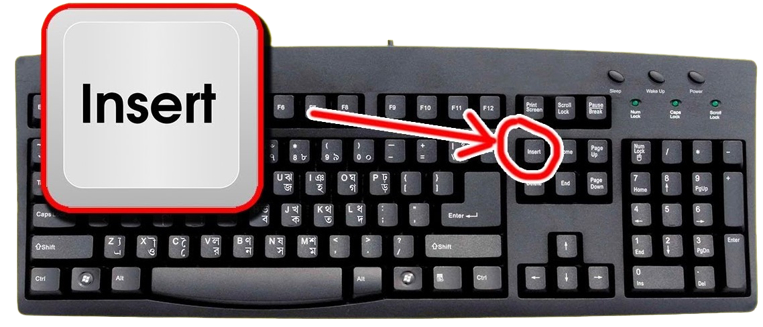
1. Press Insert to open the menu
Common Fixes
Kicked with an ACK error
Check the session status in the Phantom Emulator:
- 1.Session healthy or Session starting: you are fine, go back in game
- 2.Session dead: close your game, close the emulator, reopen the emulator and press Launch again
VPN kick
Some players get a VPN kick caused by Windows UAC. Simple fix:
- 1.Swap to a different account
- 2.Still happening? Wait for the next Phantom Emulator update
Dogman does nothing
- 1.Make sure Fortnite was launched from the Phantom Emulator, not from Epic Games
- 2.Check that you followed Steps 4 and 5 after your last PC restart
- 3.Run dogmanfortnite.exe as Administrator
Menu won't open - press the Insert key
The menu opens and closes with the Insert key on your keyboard. Press it once the software is loaded in game.
1. The Insert key on a standard keyboard No Insert key? Use the on-screen keyboard
Some laptops and compact keyboards have no Insert key. Use the Windows on-screen keyboard instead:
- 1.Press Win + R, type "osk" and hit Enter
- 2.Click the Insert key on the on-screen keyboard while in game
1. Click Insert on the on-screen keyboard Loader doesn't open - add the host file
If the loader does nothing when you open it, Windows is missing the host file it needs:
- 1.Download the host file from the MEGA link below
- 2.Press Win + R, type "drivers" and hit Enter
- 3.Open the "etc" folder
- 4.Paste the host file inside, then run the loader again
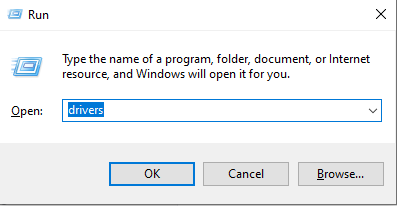
1. Win + R, then type "drivers" Loader crashing or not connecting - use Warp
If the loader crashes, hangs or can't reach the server, your network is likely blocking it. Cloudflare WARP fixes this:
- 1.Download and install WARP from https://1.1.1.1/
- 2.Open the system tray (arrow near the clock) and click the WARP icon
- 3.Toggle WARP on and wait until it says Connected
- 4.Run the loader again and repeat the inject step
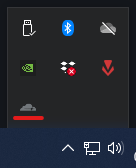
1. Open WARP from the system tray 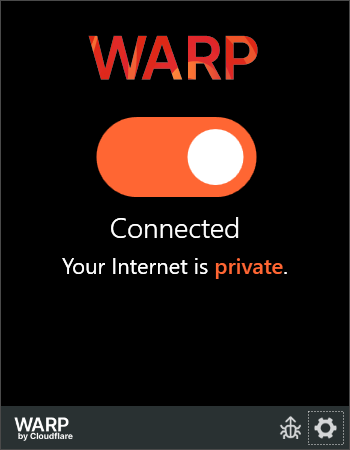
2. Wait until WARP says Connected Game crashing - check Core Isolation
Core Isolation and Memory Integrity stop games from crashing while the software is loaded:
- 1.Open the Windows Search bar
- 2.Type Core Isolation and open it from the results
- 3.In the Windows Security window, locate Memory Integrity
- 4.Turn Memory Integrity On
- 5.Restart your PC if Windows prompts you to
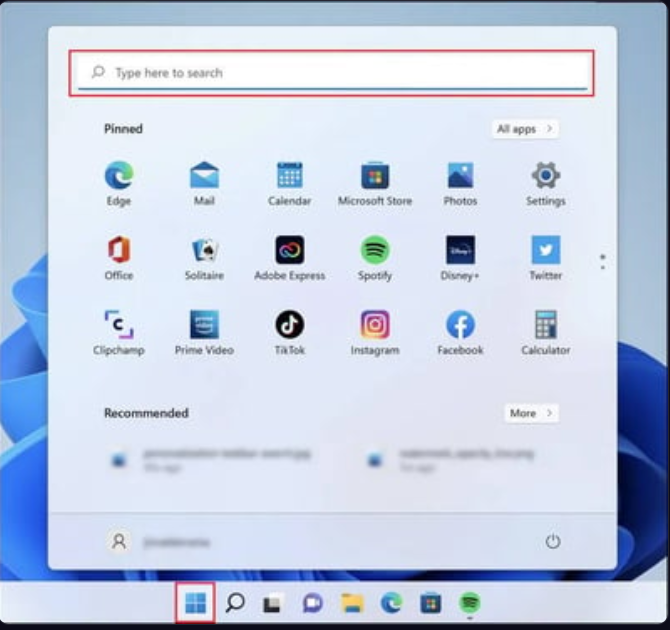
1. Search for Core Isolation 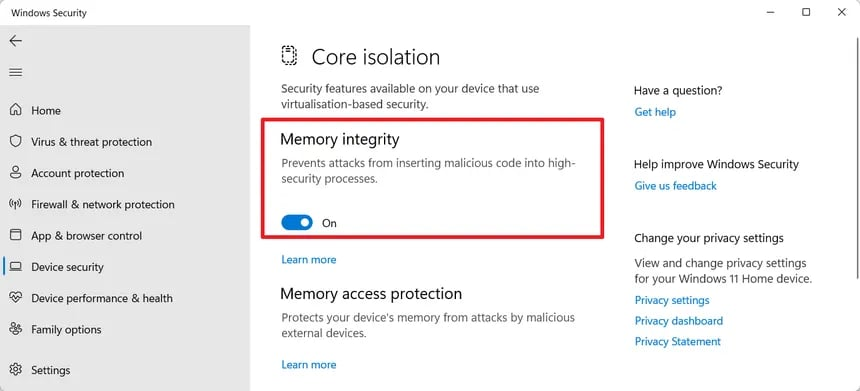
2. Turn Memory Integrity On Menu or visuals not centered - set scaling to 100%
Windows display scaling above 100% pushes the menu and visuals off-center:
- 1.Open Windows Settings
- 2.Go to System → Display
- 3.Under Scale and layout, set "Change the size of text, apps, and other items" to 100%
- 4.Set your game to Windowed Fullscreen / Borderless
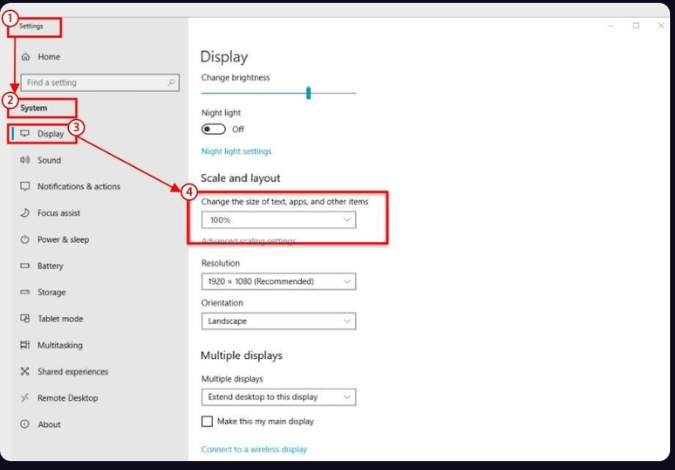
1. Set display scaling to 100%
Still stuck?
- •Still stuck? Open a ticket in Discord with a screenshot of the error.